تطبيق Android
القرآن من i-muslim
قرآن بلا إنترنت. النص العربي و114 ترجمة بـ61 لغة وألوان التجويد. بلا إعلانات.
«القرآن من i-muslim» تطبيق هادئ لقراءة القرآن يعمل دون إنترنت. المصحف كامل — النص العثماني مع الترجمات الإنجليزية والروسية والأذربيجانية والتركية — مضمَّن داخل التطبيق، فتقرأ في القطار أو في المسجد أو في الطائرة أو في أي مكان بلا تغطية. و110 ترجمات أخرى تُنزَّل في ثوانٍ وتعمل دون إنترنت كذلك. لا حساب. ولا يغادر جهازك شيء ما لم تُفعِّل النسخ الاحتياطي السحابي الاختياري. أنت والكتاب فقط.
- يعمل دون إنترنت
- بلا إعلانات
- بلا تتبُّع
- مجاني للأبد
الإصدار 1.3.0 · آخر تحديث 9 أكتوبر 2026
نظرة من الداخل
من الإصدار 1.0.42.
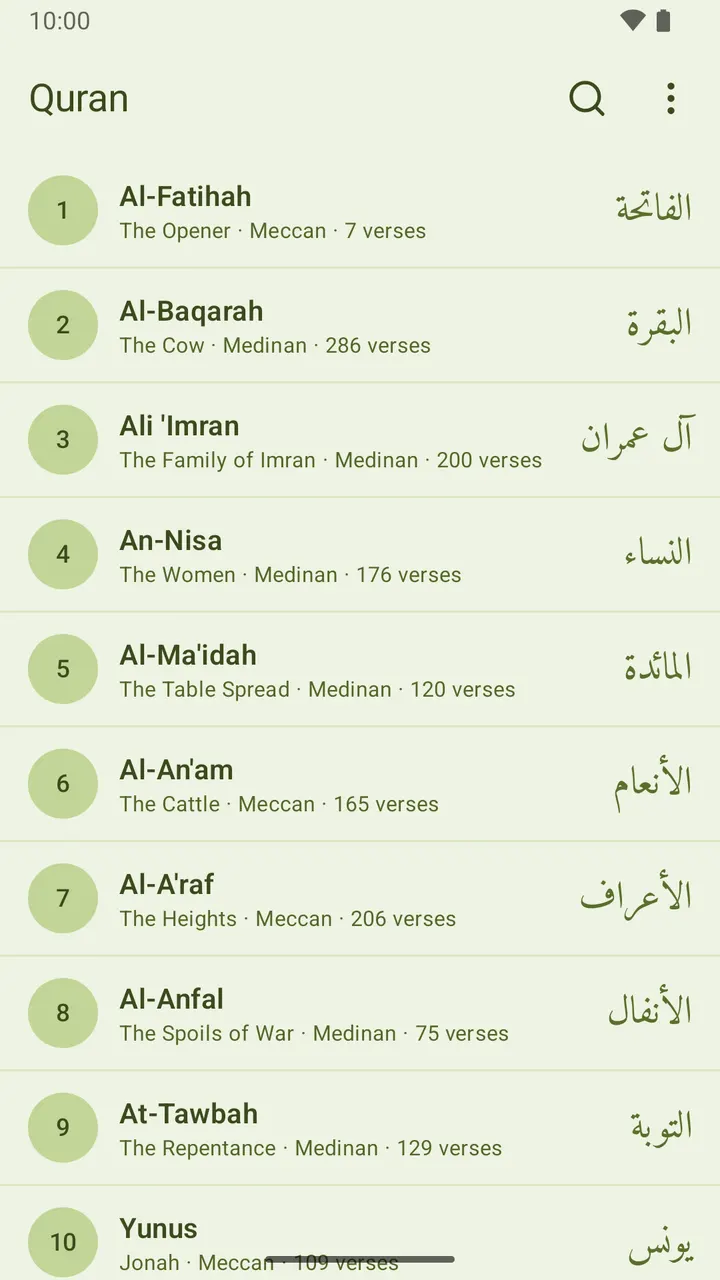
السور الـ114 كلها، مع البحث 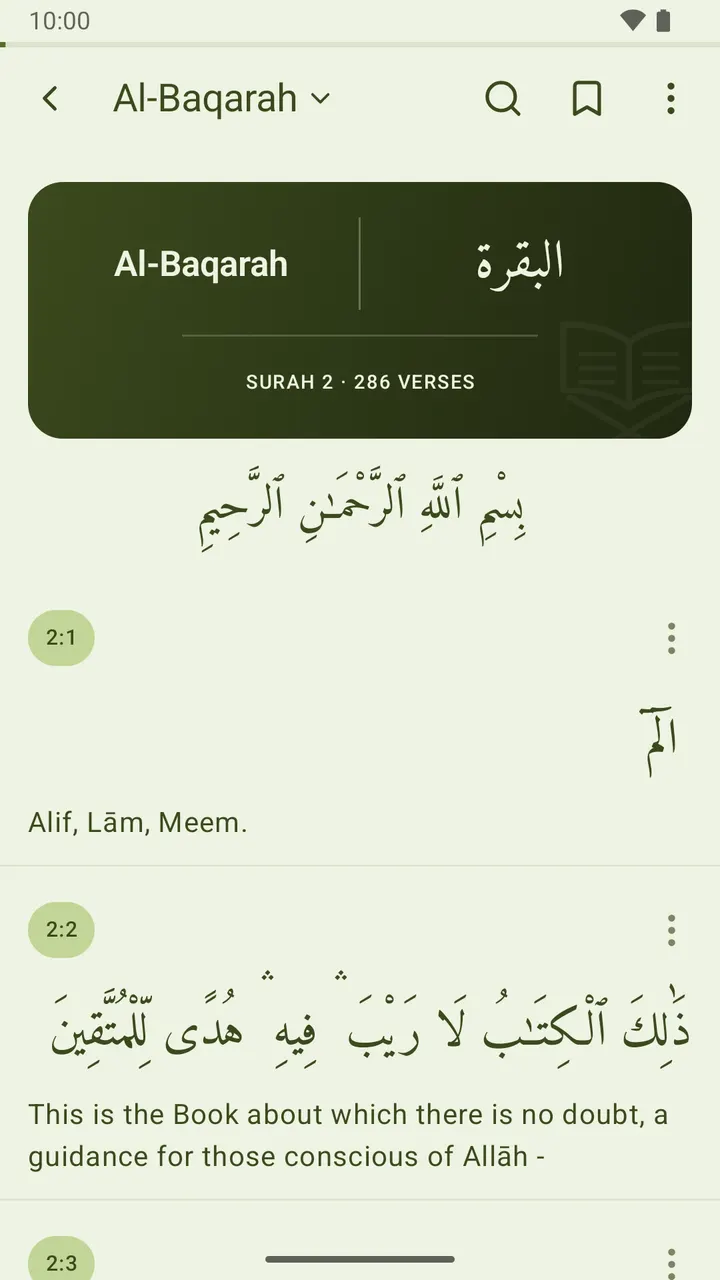
بطاقة عنوان مزخرفة تفتتح كل سورة 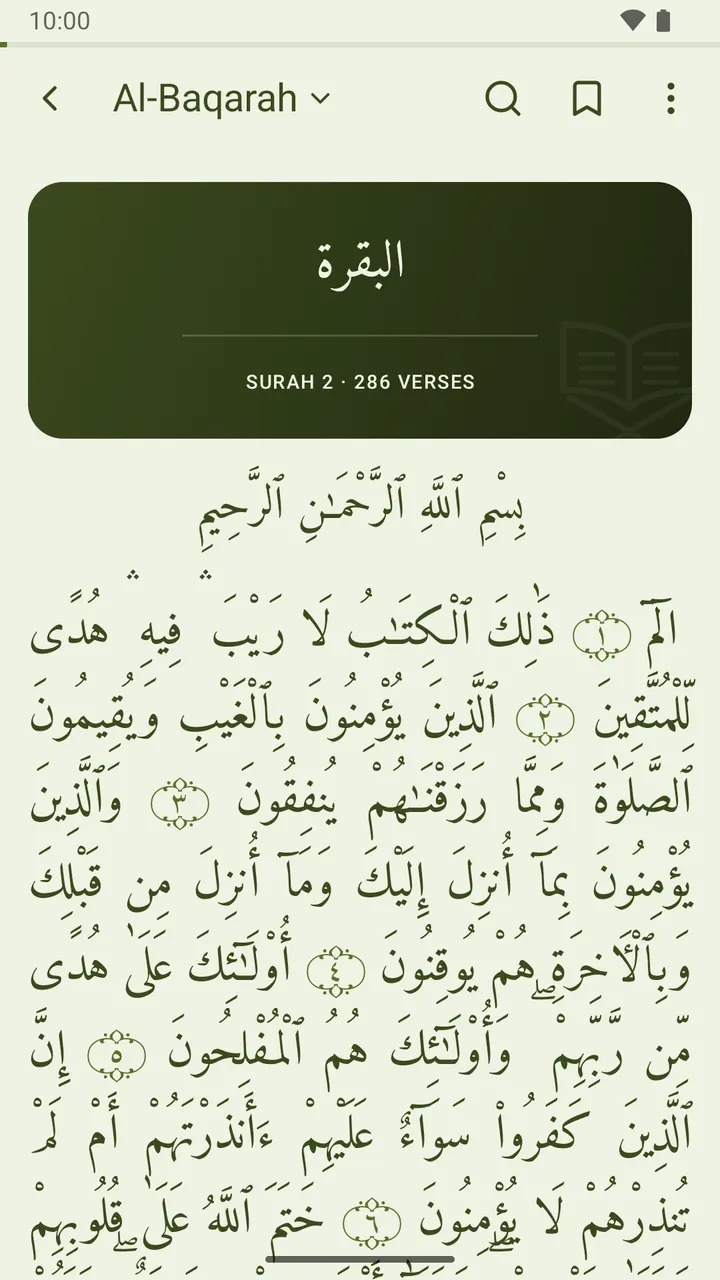
العربية وحدها، كما تُطبع في المصحف 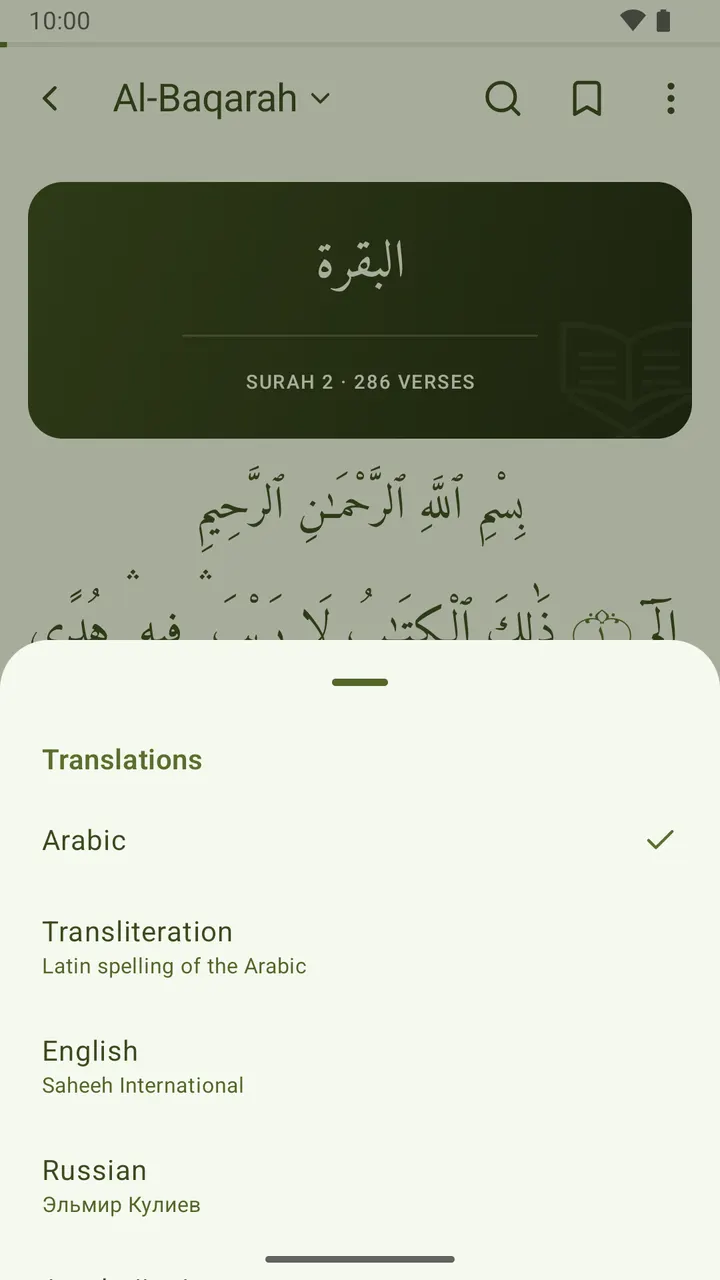
بدّل الترجمات من اسم السورة 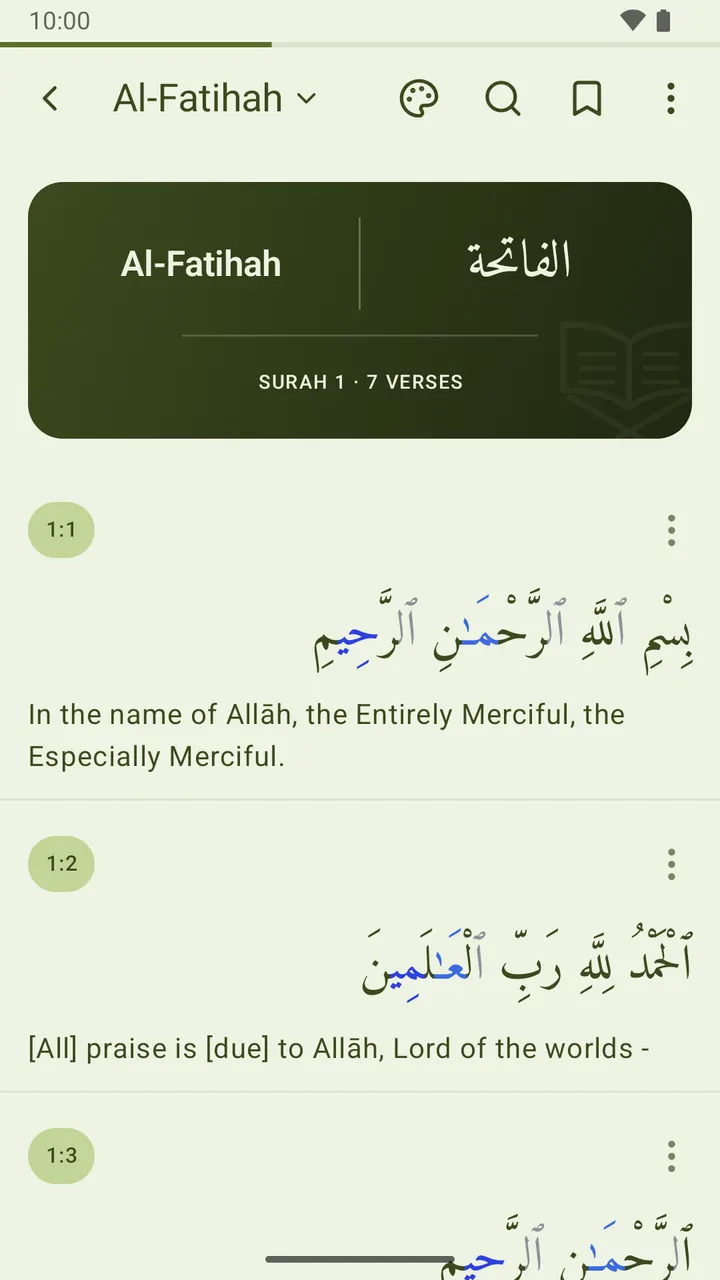
ألوان تجويد اختيارية 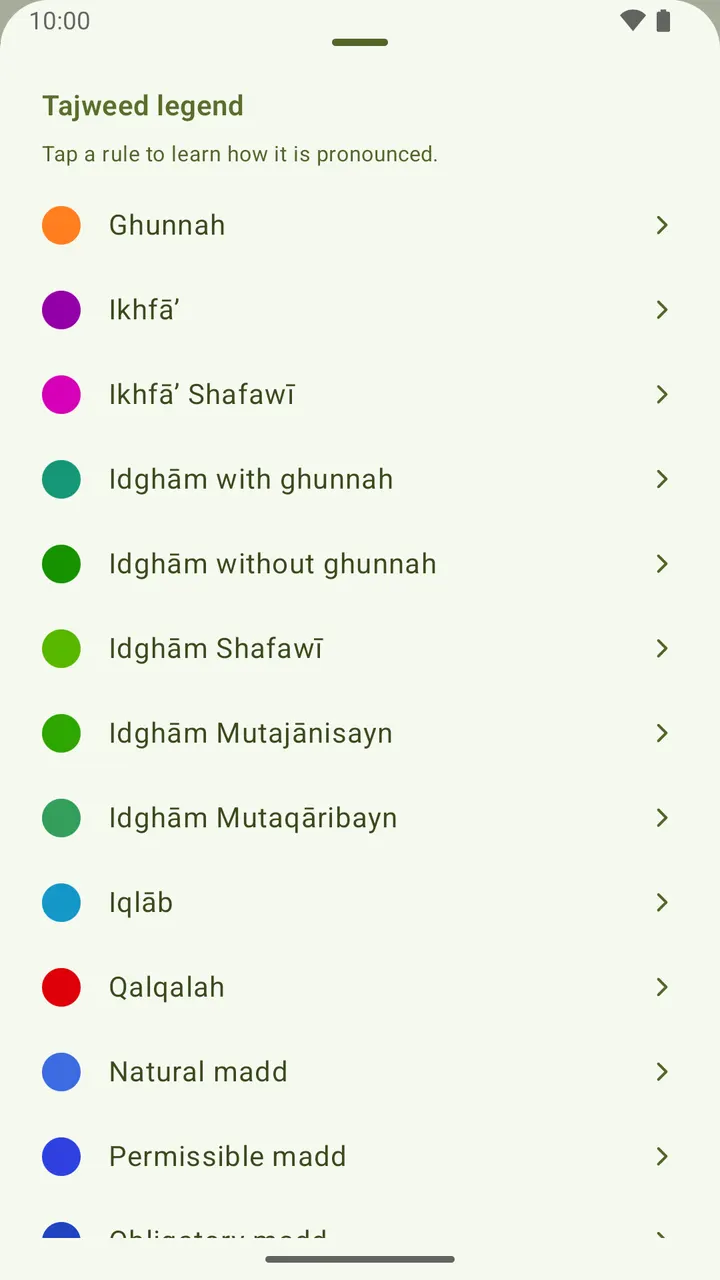
كل حكم مشروح بلغتك 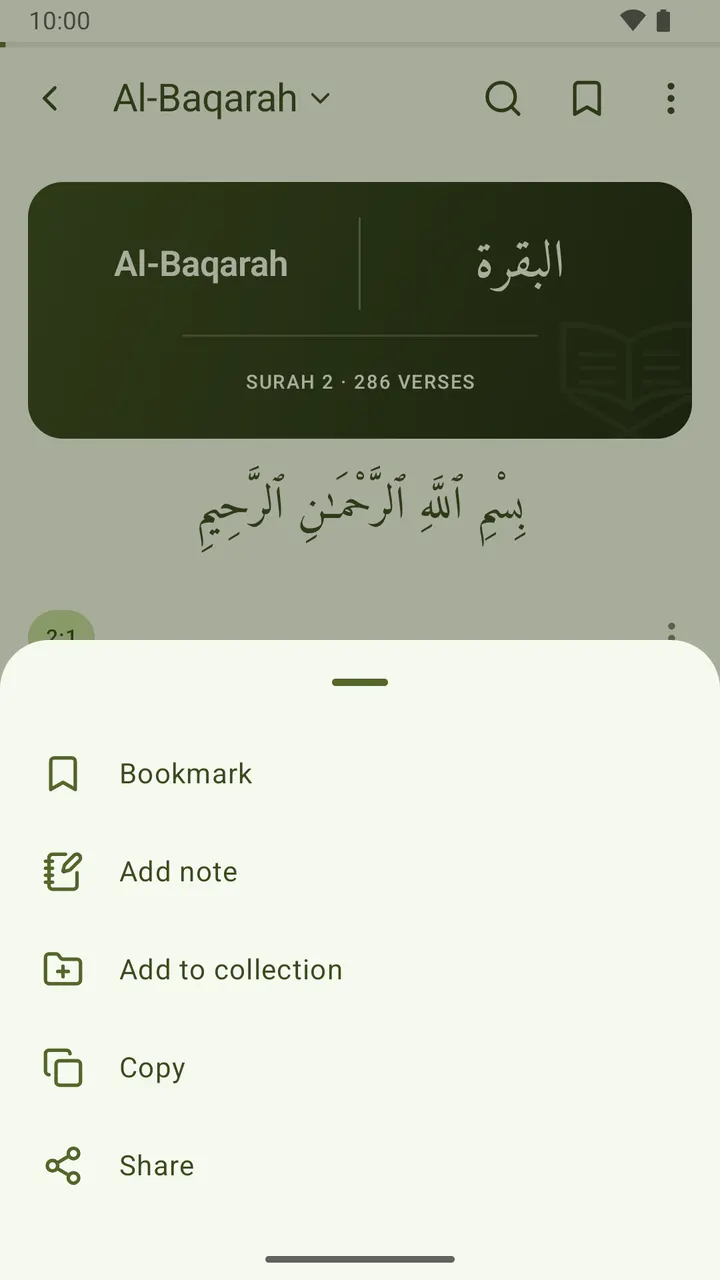
احفظ أي آية أو علّق عليها أو انسخها أو شاركها 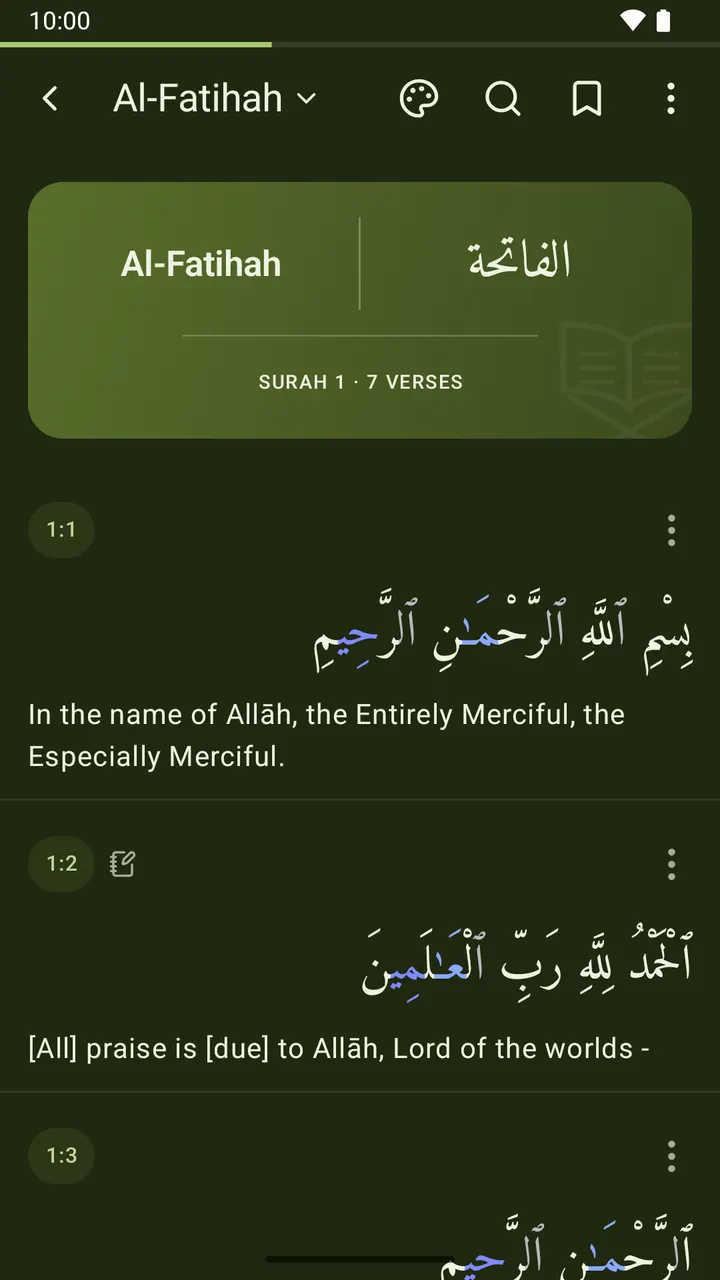
خمس خلفيات للقراءة، منها الليلية
ما الذي في التطبيق
قراءة جميلة
- تُفتَح كل سورة ببطاقة عنوان مزخرفة: الاسم بالعربية إلى جانب كتابته بكل لغة فعَّلتها، وتحته رقم السورة وعدد آياتها، مرسومة داخل التطبيق وبلون يناسب خلفية القراءة.
- اقرأ العربية وحدها فيُعرض النص كما يُطبع في المصحف: صفحة واحدة متصلة مضبوطة الأسطر، بلا خطوط ولا شارات بين الآيات، وتنتهي كل آية بوردة زخرفية تحمل رقمها. أعِد أي ترجمة فيعود العرض آية آية.
- خمسة خطوط عربية: أميري، شهرزاد الجديد، نوتو نسخ، خط الملك فهد العثماني (مصحف المدينة)، وباك تايب نسخ.
- خلفيات قراءة كالكتب: ورقي، بنّي، أخضر المصحف، ليلي، وأسود — مع لون نص يتكيّف للتباين، يُطبَّق على القارئ وحده أو على التطبيق كله.
- حجم خط عربي وترجمة قابل للضبط، وتباعد كلمات قابل للضبط، ومظهر فاتح أو داكن أو حسب النظام.
ألوان التجويد
- لوِّن الحروف العربية بحسب أحكام التجويد اختياريًّا — الغنّة والإخفاء والإدغام والإقلاب والقلقلة وأنواع المدّ — كما في المصحف الملوَّن. مُعطَّل افتراضيًّا، والألوان تتكيّف مع خلفية القراءة.
- تعلَّم وأنت تقرأ: افتح دليل الألوان واضغط أي حكم لتقرأ بلغتك كيف يُنطَق، مع مثال قرآني قصير يبيّن الحروف التي يلوّنها.
114 ترجمة بـ61 لغة
- الإنجليزية (صحيح إنترناشونال)، والروسية (إلمير كولييف)، والأذربيجانية (عليخان موساييف)، والتركية (رئاسة الشؤون الدينية) مضمَّنة في التطبيق؛ و110 ترجمات أخرى — الأردية والبنغالية والفارسية والفرنسية والملايوية والسواحيلية والصينية وغيرها، وكثيرًا ما تتعدد ترجمات اللغة الواحدة — يُنزَّل كلٌّ منها في بضع مئات من الكيلوبايت ثم يعمل دون إنترنت.
- أظهر أي مجموعة منها أو أخفِها، وأظهر العربية أو أخفِها.
- اضغط اسم السورة أعلى القارئ لتبديل الترجمات في مكانها — دون الذهاب إلى الإعدادات.
المصحف كاملًا دون إنترنت
- السور الـ114 كلها، ويمكن البحث عنها بالاسم العربي أو كتابته بالحروف اللاتينية أو معناه المترجم.
- تعرض كل سورة عدد آياتها وهل نزلت في مكة أم المدينة.
للقراءة اليومية
- أضف أي آية إلى «المفضلة» وعُد إليها بضغطة واحدة.
- اكتب ملاحظاتك على أي آية، وتُجمَع كلها تحت «الملاحظات».
- احفظ الآيات في مجموعات تسمّيها بنفسك.
- انسخ آية أو شاركها مع ترجمتها.
- حدّد موضع قراءتك على أي آية وتابع منه بضغطة واحدة — أو من أداة «موضع القراءة» على شاشتك الرئيسية. ولا ينتقل إلا حين تنقله أنت.
- أداة «آية اليوم» لشاشتك الرئيسية — العربية مع الترجمة التي تقرأ بها، بالخلفية ولون النص والحجم الذي تختاره. انسخها أو شاركها أو اسحب آية أخرى دون فتح التطبيق. وكل آية تعرضها تُجمع داخل التطبيق، جاهزة لإضافتها إلى المفضلة أو كتابة ملاحظة عليها أو ضمّها إلى مجموعة.
بلغتك
- التطبيق نفسه متاح بـ62 لغة — منها العربية والأردية والفارسية والبشتوية بتخطيط كامل من اليمين إلى اليسار — تختارها عند أول تشغيل وتغيّرها متى شئت من الإعدادات، مع مربع بحث ولغات هاتفك في المقدمة.
خاص افتراضيًّا
- لا يغادر جهازك شيء افتراضيًّا — مفضلتك وملاحظاتك ومجموعاتك وموضع قراءتك وإعداداتك تبقى على هاتفك وحده. ويتيح النسخ الاحتياطي السحابي الاختياري تسجيل الدخول (بالبريد أو بجوجل) لمزامنتها بين الأجهزة، ويبقى مُعطَّلًا ما لم تُفعِّله. بلا إعلانات وبلا تتبُّع خارجي.
مجاني للأبد
- بلا إعلانات. بلا اشتراكات. بلا مشتريات داخلية. بلا مقابل.
«القرآن من i-muslim» هو تطبيق القرآن من i-muslim، طوّرته Caspian Tools — أما مواقيت الصلاة والحديث فتطبيقان منفصلان. نعرض النص المقدَّس بأمانة، ونُبقي التجربة بسيطة وهادئة وسريعة.
ما الجديد
أحدث 10 إصدارات. تُنشَر ملاحظات الإصدارات بالإنجليزية.
1.3.0114 Quran translations in 61 languages to download; reading place home-screen widget; right-to-left translations read right to left; a smaller reading-place card; the app in 62 languages; no English surah meanings under the Arabic interface; right-to-left interfaces mirror as soon as you switch; search the language list; surah names in Indonesian under the Indonesian interface9 أكتوبر 2026
The app now speaks 62 languages: pick yours on first launch or in Settings, with a search box and your phone’s languages listed first. 110 more Quran translations are a quick download away, in 61 languages, often several translators each. A new Reading place widget brings you back to your verse in one tap, and the Continue reading card is slimmer. Right-to-left translations and interfaces now lay out correctly, and surah names read properly in Arabic and Indonesian.
1.2.0A reading place that only moves when you set it, Favorites with a heart, translations you choose and add yourself, and Settings rebuilt as cards with sheets instead of menus8 أكتوبر 2026
Your reading place now stays where you put it: set it from any verse, pick up from the Continue reading card, and the app asks before moving it. Bookmarks are now Favorites, marked with a heart. You start with the translation in your own language. One Translations page shows, adds and removes them, and those built into the app add instantly, even offline. Settings has a cleaner look in cards, and menus now open from the bottom of the screen.
1.1.0A branded launch, a searchable language picker that previews your choice, a What’s new card after updates, and transparent system bars in dark mode again20 سبتمبر 2026
The app now opens on its own mark instead of a blank window, and the welcome screen asks for your language in a list you can search — "arabic", "ar" or عرب all find العربية. Picking one previews the app in it before anything is saved. The same picker is now in Settings. After an update, a short card tells you what changed, once, then stays out of the way. Fixed: in dark mode on Android 7–14 the status and navigation bars are transparent again.
1.0.49Download more translations from a new Translations screen, starting with Indonesian (Kemenag)18 سبتمبر 2026
Settings has a new Translations screen. Pick a translation and it downloads in a second or two, switches itself on, and appears under the next verse you open. Search finds it like any other. The first is Indonesian: Al-Qur'an dan Terjemahnya from Indonesia's Ministry of Religious Affairs (Kemenag). Your own language is listed first, every entry shows its translator and download size, and the translations that came with the app still work fully offline.
1.0.48Uthmanic Hafs script now renders like the printed mushaf; browse the Quran by subject; a long verse scrolls in the widget; the mushaf fits the screen it is read on; a rule where each mushaf page begins; search finds what you meant, not just what you typed; a shared ayah says where it came from; step through verses from the widget; the widget’s bottom line drops the translator name4 سبتمبر 2026
Reading in Arabic alone now fills the page: the text sits flush to both margins, and a faint rule marks where each page of the Madinah mushaf begins. Search finds what you meant. "araf" finds Al-A'raf, and "Allah" now finds every verse that names Him — accents and apostrophes no longer have to be typed. Collections gains a Topics tab: 47 subjects, from prayer and fasting to oaths and inheritance. The widget scrolls long verses, and arrows step to the next or previous one.
1.0.47Keep the screen on while you read; long press a verse to open its actions; the verse you tapped is pointed out when it opens14 أغسطس 2026
The screen now stays awake while you read, so a page does not go dark because you have not touched the phone. Your usual timeout returns as soon as you leave, and there is a switch in Settings. Press and hold anywhere on a verse to open its actions: bookmark, note, collection, copy, share. The button in the corner still works too. And a verse opened from the widget, a bookmark or a search is gently pointed out, so you can see the one you came for.
1.0.46The sajda mark opens the fifteen verses of prostration, and the widget takes every language you read9 أغسطس 2026
The sajda mark now sits beside the verse number instead of trailing the Arabic, and it is easier to see. Tap it for all fifteen verses of prostration, then tap any one of them to read why that verse calls for a sajda, with the narration behind it and its reference. The ayah widget now takes every language you read, not just one, and no longer cuts the translation short. Ayah of the day groups its verses by day, and the widget's buttons answer to a tap.
1.0.45Ayah of the day — a home-screen widget, and a history you can bookmark and annotate9 أغسطس 2026
A new home-screen widget: an ayah of the day, in Arabic with the translation you read. Choose its language, background, text colour and text size when you add it, or change them later. Copy or share the verse straight from the widget, or tap for another one. Every verse it shows is kept under Ayah of the day in the menu, where you can bookmark it, add a note or save it to a collection like any other verse — and it travels with your backup.
1.0.44The surah name follows your reading language; the progress bar starts empty8 أغسطس 2026
Two fixes in the reader. The surah name at the top of the screen now follows the language you read in, rather than always appearing in English, so it matches the title card below it. In Azerbaijani, surah 93 is now spelled Duha. And the thin progress line under the status bar now starts empty and fills as you scroll — before, it opened part-filled on short surahs, and completely full whenever a whole surah fitted on one screen.
1.0.43The surah-name arrow now returns to the surah list8 أغسطس 2026
The arrow beside the surah name now always returns you to the list of surahs. Before, it simply retraced your steps: open a verse from a bookmark, a note, a collection or a search result, and the arrow dropped you back into that screen rather than the Quran itself — sometimes several taps from the list. Now one tap goes straight to all 114 surahs, wherever you came from. The phone's own back button still retraces your steps, as before.
القرآن من i-muslim
قرآن بلا إنترنت. النص العربي و114 ترجمة بـ61 لغة وألوان التجويد. بلا إعلانات.
تفضّل القراءة في المتصفّح؟ افتح قارئ القرآن على الويب