Android uygulaması
i-muslim Kur'an
Çevrimdışı Kur'an: Arapça, 61 dilde 114 meal, tecvid. Reklamsız.
i-muslim Kur'an, gününüze sığan sakin ve çevrimdışı bir Kur'an okuyucusudur. Kur'an'ın tamamı — Osmanî hattıyla Arapça metin ve İngilizce, Rusça, Azerbaycanca ve Türkçe mealler — uygulamanın içindedir; trende, camide, uçakta ya da şebekenin olmadığı her yerde okuyabilirsiniz. 110 meal daha saniyeler içinde iner ve o da çevrimdışı çalışır. Hesap yok. İsteğe bağlı bulut yedeklemeyi açmadığınız sürece cihazınızdan hiçbir şey çıkmaz. Yalnızca siz ve Kitap.
- Çevrimdışı çalışır
- Reklam yok
- Takip yok
- Sonsuza dek ücretsiz
Sürüm 1.3.0 · Güncelleme 9 Ekim 2026
İçeriden bir bakış
1.0.42 sürümünden.
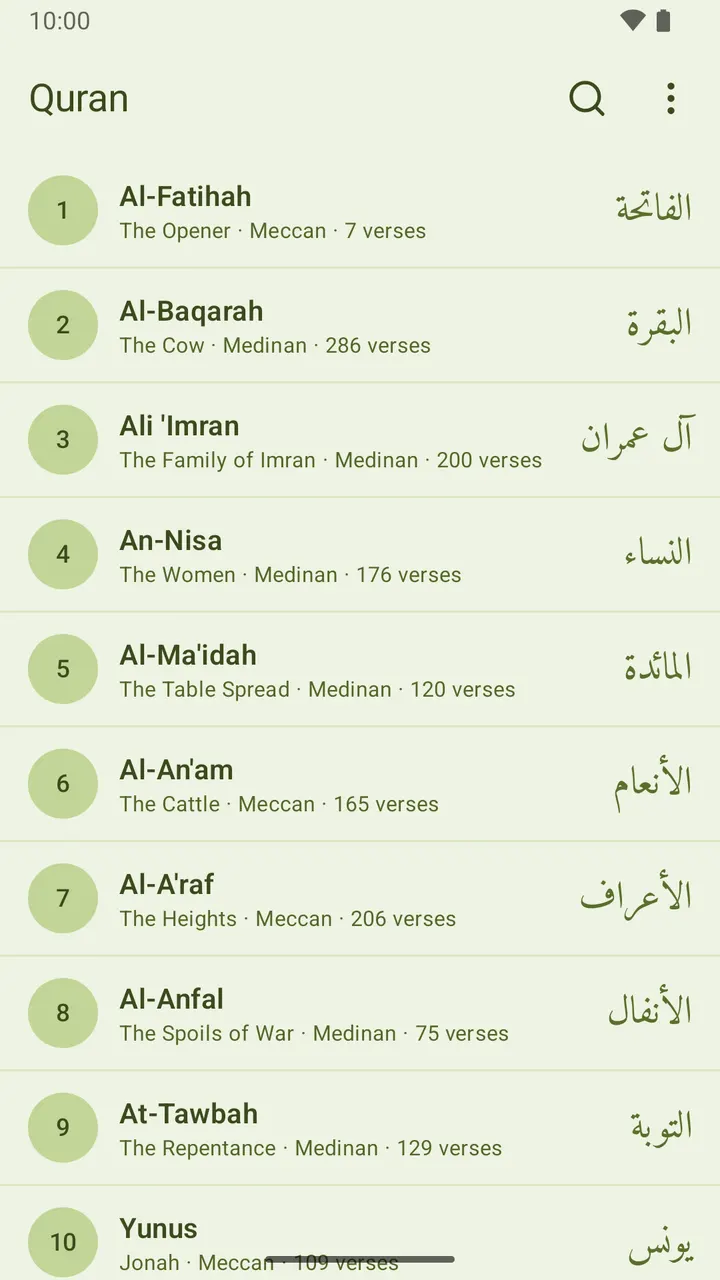
114 surenin tamamı, aranabilir 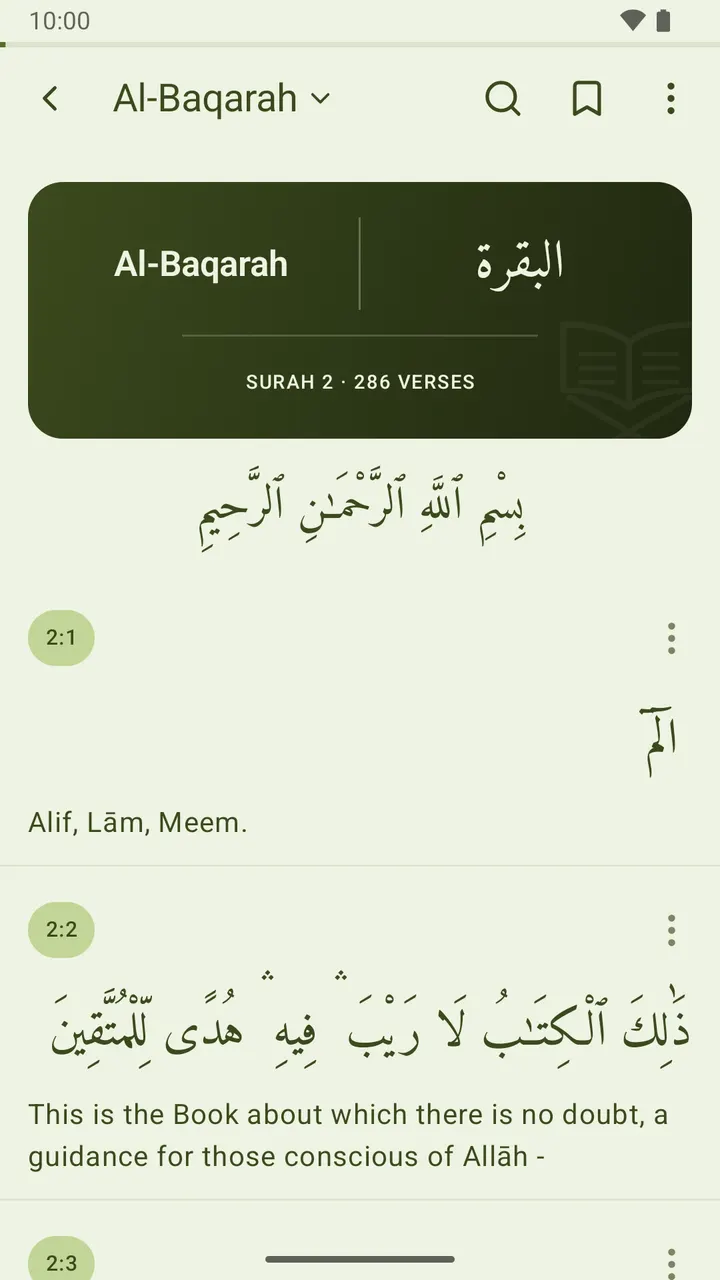
Her sure süslü bir başlık kartıyla açılır 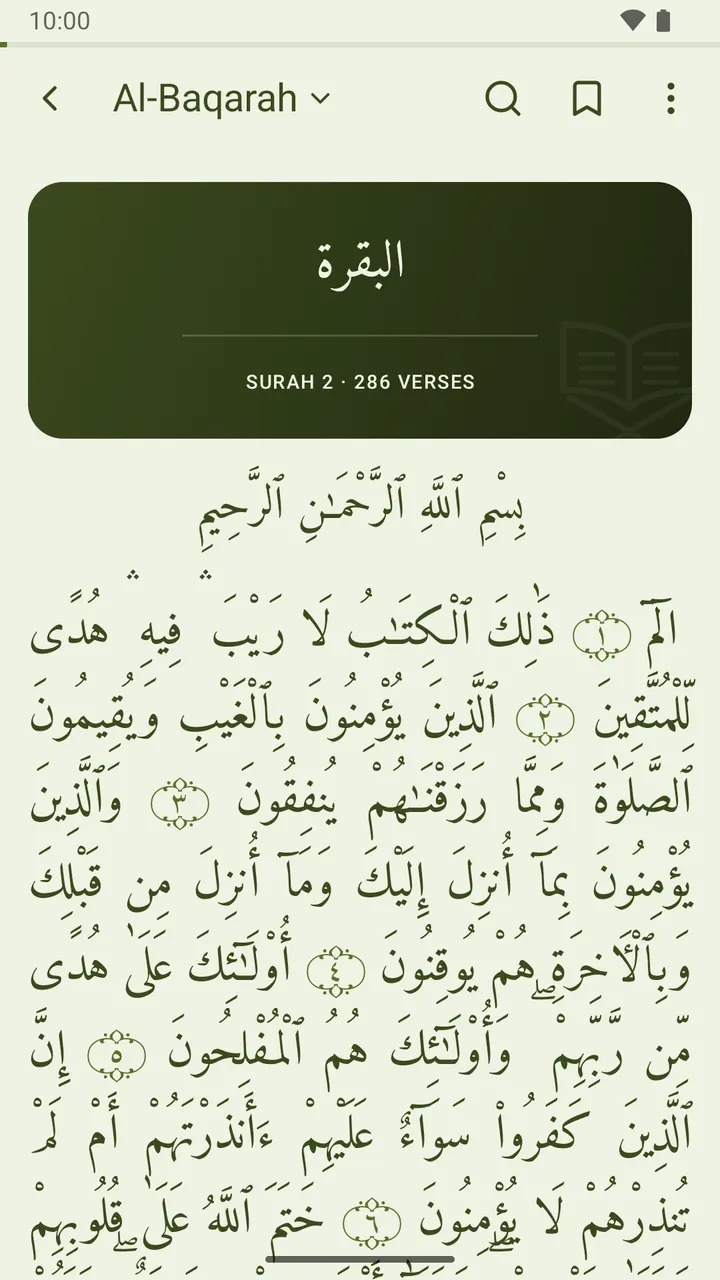
Yalnızca Arapça, mushafta basıldığı gibi 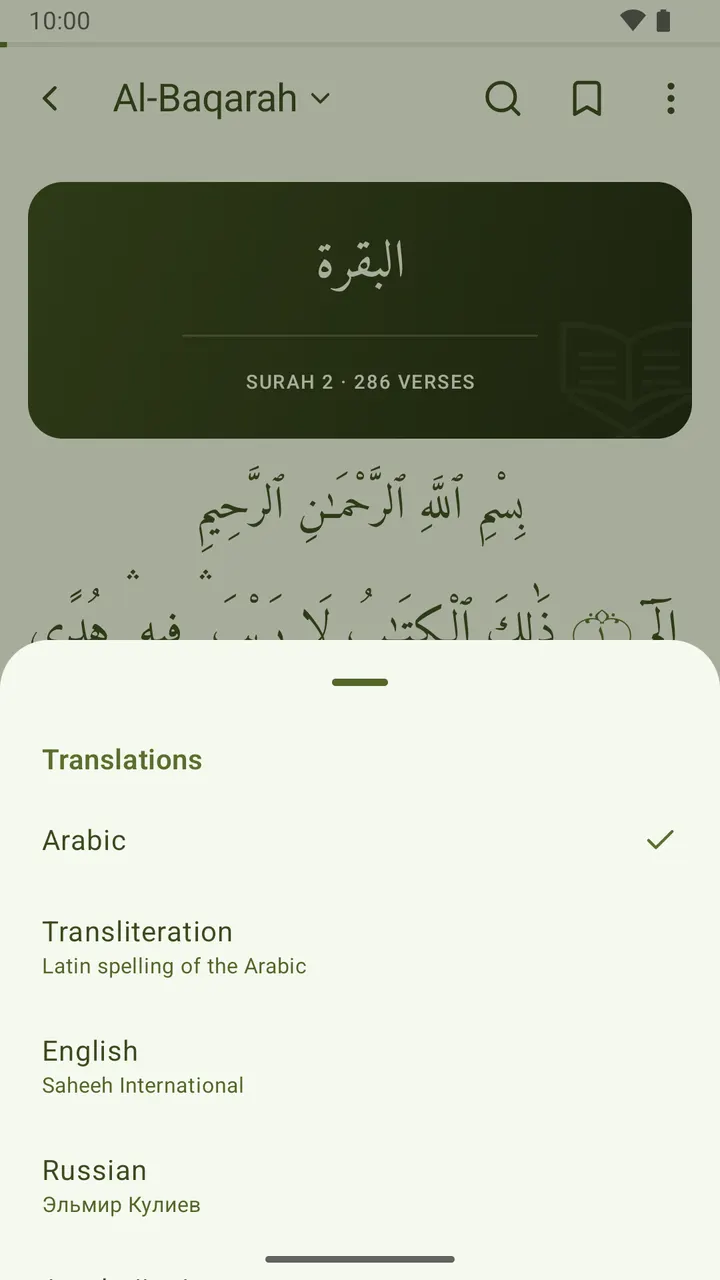
Mealleri sure adından değiştirin 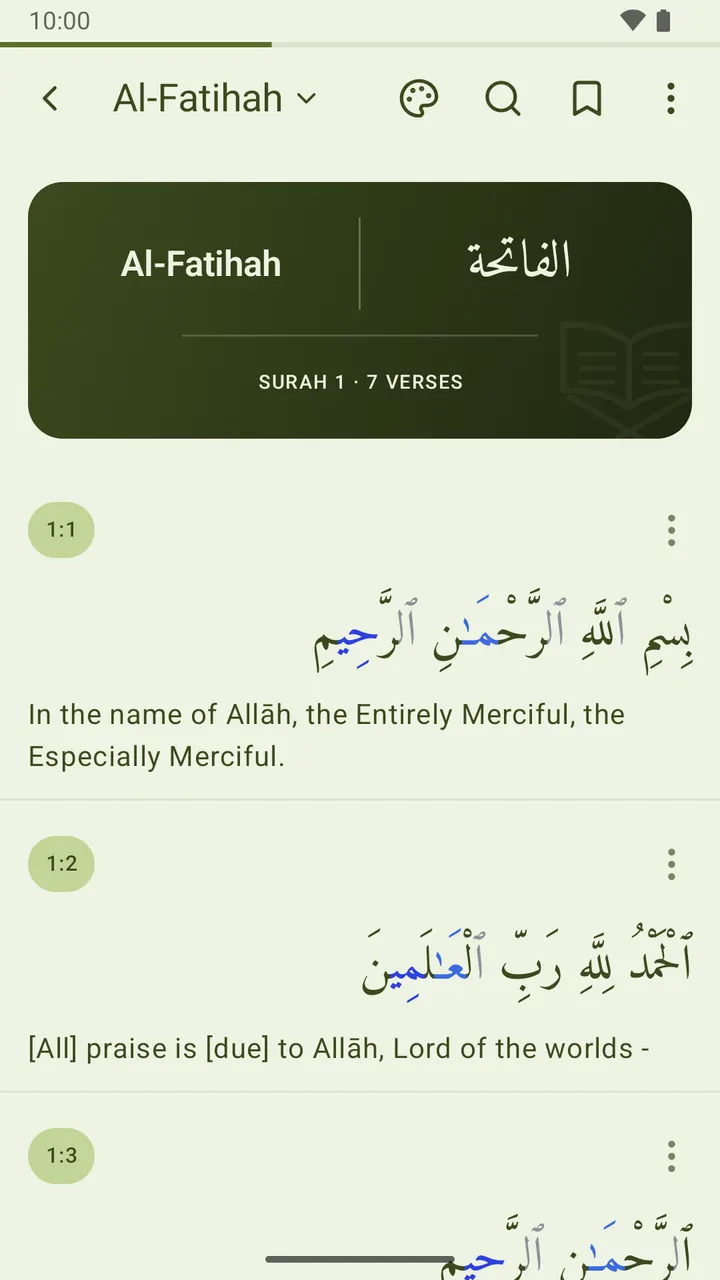
İsteğe bağlı tecvid renkleri 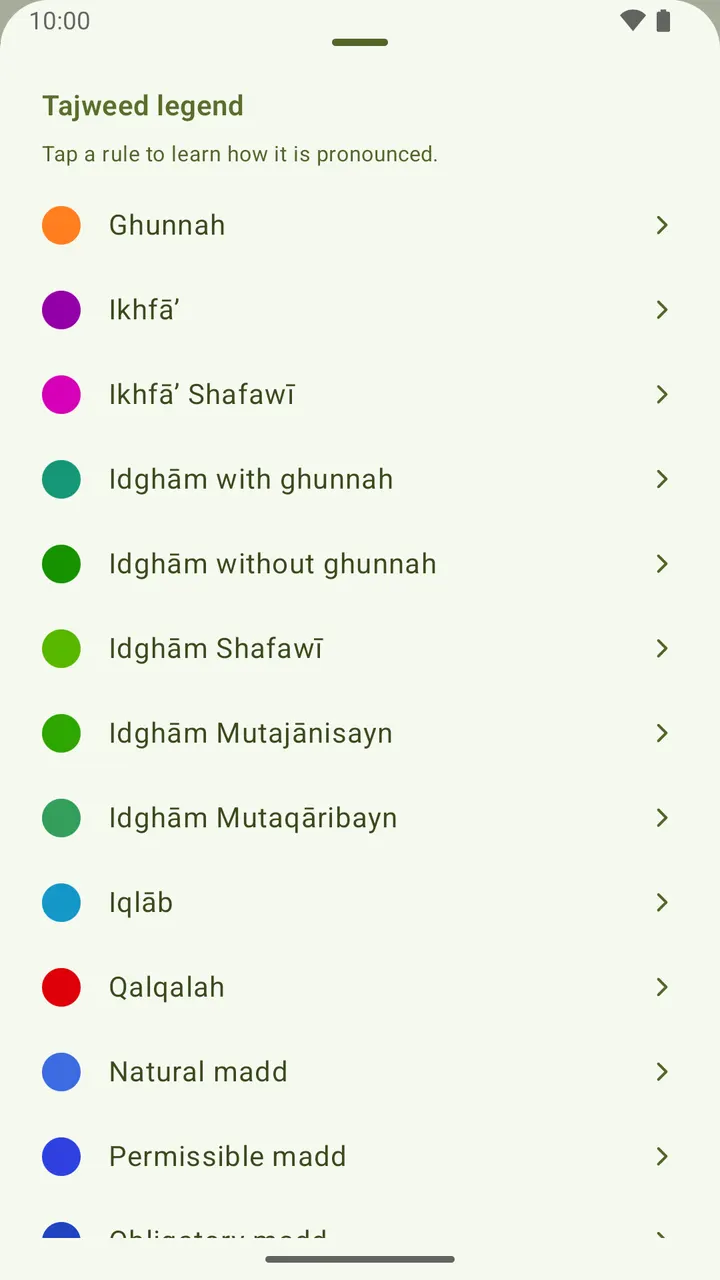
Her kural kendi dilinizde açıklanır 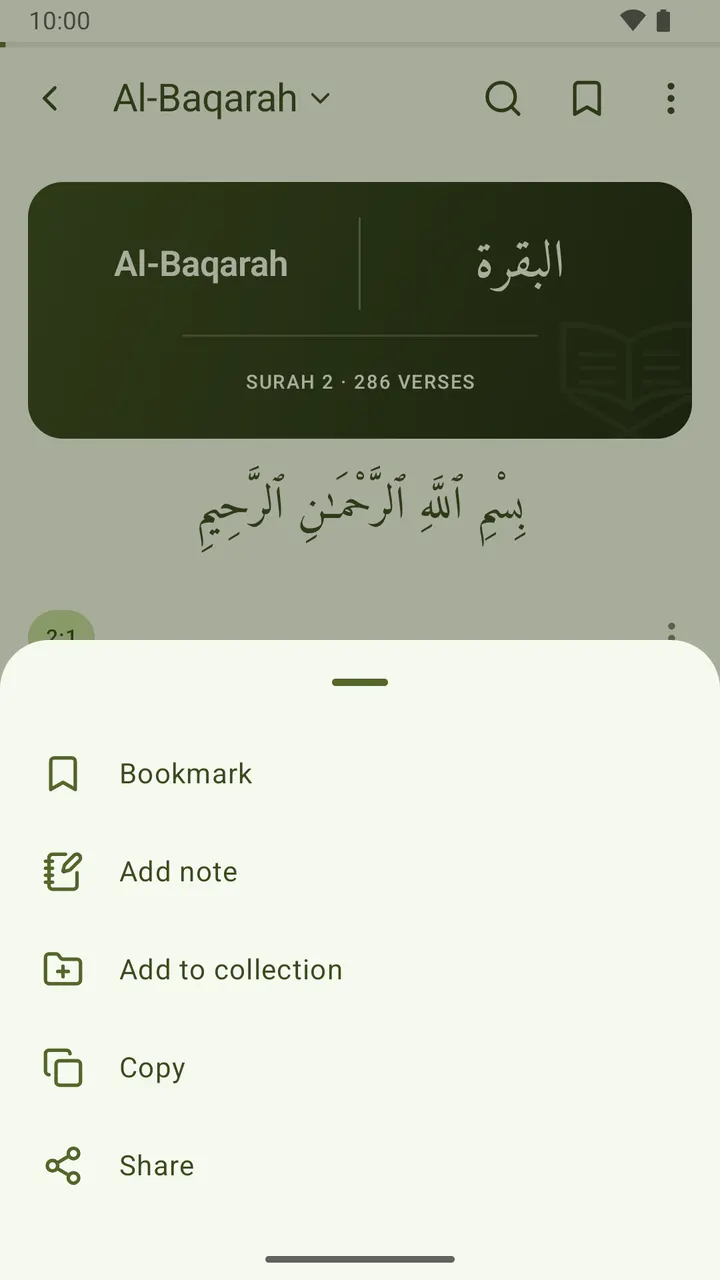
Herhangi bir ayeti yer imine ekleyin, not alın, kopyalayın ya da paylaşın 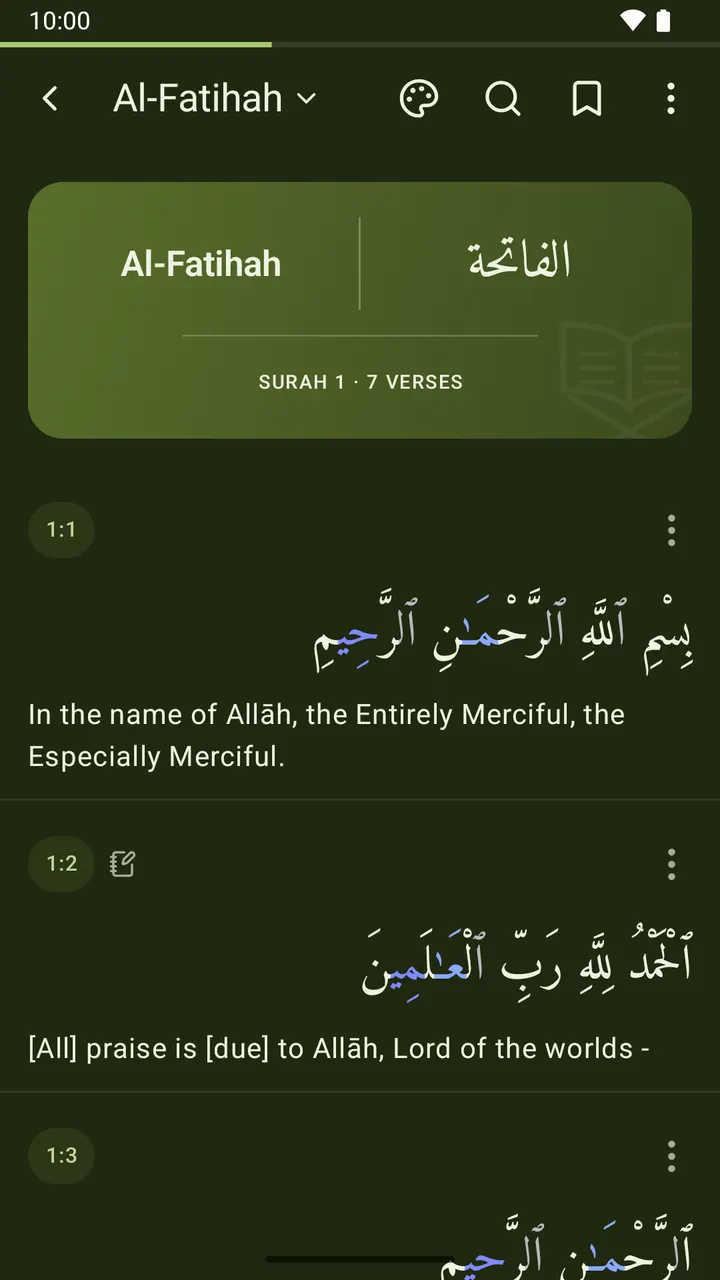
Gece dâhil beş okuma arka planı
Neler var
Güzel bir okuma deneyimi
- Her sure süslü bir başlık kartıyla açılır: Arapça adı, açtığınız her dildeki yazılışının yanında; altında surenin numarası ve ayet sayısı. Uygulama içinde çizilir ve okuma arka planınıza uyacak şekilde renklendirilir.
- Arapçayı tek başına okuyun, sayfa mushafta basıldığı gibi dizilsin: iki yana yaslanmış tek parça bir blok, ayetler arasında çizgi ve rozet olmadan, her ayet numarasını taşıyan geleneksel süslü bir gülle kapanır. Bir meali geri açtığınızda ayet ayet görünüm döner.
- Beş Arapça yazı tipi: Amiri, Scheherazade New, Noto Naskh Arabic, KFGQPC Osmanî (Medine mushafı) ve PakType Naskh.
- Kitap havasında okuma arka planları — kâğıt, sepya, mushaf yeşili, gece ve siyah — kontrast için uyarlanan metin rengiyle; yalnızca okuyucuya ya da tüm uygulamaya uygulanır.
- Ayarlanabilir Arapça ve meal yazı boyutu, ayarlanabilir kelime aralığı ve açık, koyu veya sistem teması.
Tecvid renkleri
- Arapça harfleri tecvid kurallarına göre isteğe bağlı renklendirin — gunne, ihfa, idgam, iklab, kalkale ve medd türleri — tıpkı renkli bir mushaf gibi. Varsayılan olarak kapalıdır; renkler okuma arka planınıza uyum sağlar.
- Okurken öğrenin: tam boy açılan cetveli açın ve herhangi bir kurala dokunarak kendi arayüz dilinizde nasıl okunduğunu okuyun — hangi harflerin o rengi aldığını gösteren kısa bir Kur'an örneğiyle.
61 dilde 114 meal
- İngilizce (Saheeh International), Rusça (Elmir Kuliev), Azerbaycanca (Alixan Musayev) ve Türkçe (Diyanet İşleri Başkanlığı) uygulamayla gelir; 110 meal daha — Urduca, Bengalce, Farsça, Fransızca, Malayca, Svahili, Çince ve daha birçoğu, çoğu dilde birden fazla mütercimle — birkaç yüz kilobaytlık bir indirmeyle eklenir, sonra tamamen çevrimdışı çalışır.
- İstediğiniz bileşimi açıp kapatın, Arapçayı gösterin ya da gizleyin.
- Okuyucunun üstündeki sure adına dokunup mealleri anında değiştirin — Ayarlar'a gitmeye gerek yok.
Tüm Kur'an çevrimdışı
- 114 surenin tamamı; Arapça adı, Latin harfli yazılışı veya anlamıyla aranabilir.
- Her sure ayet sayısını ve Mekkî mi Medenî mi olduğunu gösterir.
Günlük okuma için
- Herhangi bir ayeti Favorilere ekleyin ve tek dokunuşla geri dönün.
- İstediğiniz ayete kendi notunuzu yazın; hepsi Notlar altında toplanır.
- Ayetleri kendi adlandırdığınız koleksiyonlara kaydedin.
- Bir ayeti mealiyle birlikte kopyalayın veya paylaşın.
- Okuma yerinizi herhangi bir ayete koyun ve tek dokunuşla oradan devam edin — ya da ana ekranınızdaki Okuma yeri widget'ından. Siz taşımadıkça yerinden oynamaz.
- Ana ekranınız için Günün ayeti widget’ı — Arapçası, okuduğunuz mealiyle; arka planını, metin rengini ve boyutunu siz seçersiniz. Uygulamayı açmadan kopyalayın, paylaşın ya da başka bir ayet çekin. Gösterdiği her ayet uygulamanın içinde toplanır; Favorilere ekleyebilir, not yazabilir veya bir koleksiyona kaydedebilirsiniz.
Kendi dilinizde
- Uygulamanın kendisi 62 dilde — aralarında tam sağdan sola düzenle Arapça, Urduca, Farsça ve Peştuca — ilk açılışta seçilir, Ayarlar'dan istediğiniz zaman değiştirilir; arama kutusu var ve telefonunuzun dilleri en üstte.
Varsayılan olarak özel
- Varsayılan olarak cihazınızdan hiçbir şey çıkmaz — favorileriniz, notlarınız, koleksiyonlarınız, okuma konumunuz ve ayarlarınız yalnızca telefonunuzda durur. İsteğe bağlı bulut yedekleme, oturum açarak (e-posta veya Google) bunları cihazlar arasında eşitlemenizi sağlar; siz açmadıkça kapalı kalır. Reklam yok, üçüncü taraf takibi yok.
Sonsuza dek ücretsiz
- Reklam yok. Abonelik yok. Uygulama içi satın alma yok. Şartı yok.
i-muslim Kur'an, i-muslim'in Kur'an uygulamasıdır; Caspian Tools tarafından geliştirilmiştir — Namaz Vakitleri ve Hadis ayrı uygulamalardır. Kutsal metni sadakatle gösterir, deneyimi basit, sakin ve hızlı tutarız.
Yenilikler
En son 10 sürüm. Sürüm notları İngilizce yayımlanır.
1.3.0114 Quran translations in 61 languages to download; reading place home-screen widget; right-to-left translations read right to left; a smaller reading-place card; the app in 62 languages; no English surah meanings under the Arabic interface; right-to-left interfaces mirror as soon as you switch; search the language list; surah names in Indonesian under the Indonesian interface9 Ekim 2026
The app now speaks 62 languages: pick yours on first launch or in Settings, with a search box and your phone’s languages listed first. 110 more Quran translations are a quick download away, in 61 languages, often several translators each. A new Reading place widget brings you back to your verse in one tap, and the Continue reading card is slimmer. Right-to-left translations and interfaces now lay out correctly, and surah names read properly in Arabic and Indonesian.
1.2.0A reading place that only moves when you set it, Favorites with a heart, translations you choose and add yourself, and Settings rebuilt as cards with sheets instead of menus8 Ekim 2026
Your reading place now stays where you put it: set it from any verse, pick up from the Continue reading card, and the app asks before moving it. Bookmarks are now Favorites, marked with a heart. You start with the translation in your own language. One Translations page shows, adds and removes them, and those built into the app add instantly, even offline. Settings has a cleaner look in cards, and menus now open from the bottom of the screen.
1.1.0A branded launch, a searchable language picker that previews your choice, a What’s new card after updates, and transparent system bars in dark mode again20 Eylül 2026
The app now opens on its own mark instead of a blank window, and the welcome screen asks for your language in a list you can search — "arabic", "ar" or عرب all find العربية. Picking one previews the app in it before anything is saved. The same picker is now in Settings. After an update, a short card tells you what changed, once, then stays out of the way. Fixed: in dark mode on Android 7–14 the status and navigation bars are transparent again.
1.0.49Download more translations from a new Translations screen, starting with Indonesian (Kemenag)18 Eylül 2026
Settings has a new Translations screen. Pick a translation and it downloads in a second or two, switches itself on, and appears under the next verse you open. Search finds it like any other. The first is Indonesian: Al-Qur'an dan Terjemahnya from Indonesia's Ministry of Religious Affairs (Kemenag). Your own language is listed first, every entry shows its translator and download size, and the translations that came with the app still work fully offline.
1.0.48Uthmanic Hafs script now renders like the printed mushaf; browse the Quran by subject; a long verse scrolls in the widget; the mushaf fits the screen it is read on; a rule where each mushaf page begins; search finds what you meant, not just what you typed; a shared ayah says where it came from; step through verses from the widget; the widget’s bottom line drops the translator name4 Eylül 2026
Reading in Arabic alone now fills the page: the text sits flush to both margins, and a faint rule marks where each page of the Madinah mushaf begins. Search finds what you meant. "araf" finds Al-A'raf, and "Allah" now finds every verse that names Him — accents and apostrophes no longer have to be typed. Collections gains a Topics tab: 47 subjects, from prayer and fasting to oaths and inheritance. The widget scrolls long verses, and arrows step to the next or previous one.
1.0.47Keep the screen on while you read; long press a verse to open its actions; the verse you tapped is pointed out when it opens14 Ağustos 2026
The screen now stays awake while you read, so a page does not go dark because you have not touched the phone. Your usual timeout returns as soon as you leave, and there is a switch in Settings. Press and hold anywhere on a verse to open its actions: bookmark, note, collection, copy, share. The button in the corner still works too. And a verse opened from the widget, a bookmark or a search is gently pointed out, so you can see the one you came for.
1.0.46The sajda mark opens the fifteen verses of prostration, and the widget takes every language you read9 Ağustos 2026
The sajda mark now sits beside the verse number instead of trailing the Arabic, and it is easier to see. Tap it for all fifteen verses of prostration, then tap any one of them to read why that verse calls for a sajda, with the narration behind it and its reference. The ayah widget now takes every language you read, not just one, and no longer cuts the translation short. Ayah of the day groups its verses by day, and the widget's buttons answer to a tap.
1.0.45Ayah of the day — a home-screen widget, and a history you can bookmark and annotate9 Ağustos 2026
A new home-screen widget: an ayah of the day, in Arabic with the translation you read. Choose its language, background, text colour and text size when you add it, or change them later. Copy or share the verse straight from the widget, or tap for another one. Every verse it shows is kept under Ayah of the day in the menu, where you can bookmark it, add a note or save it to a collection like any other verse — and it travels with your backup.
1.0.44The surah name follows your reading language; the progress bar starts empty8 Ağustos 2026
Two fixes in the reader. The surah name at the top of the screen now follows the language you read in, rather than always appearing in English, so it matches the title card below it. In Azerbaijani, surah 93 is now spelled Duha. And the thin progress line under the status bar now starts empty and fills as you scroll — before, it opened part-filled on short surahs, and completely full whenever a whole surah fitted on one screen.
1.0.43The surah-name arrow now returns to the surah list8 Ağustos 2026
The arrow beside the surah name now always returns you to the list of surahs. Before, it simply retraced your steps: open a verse from a bookmark, a note, a collection or a search result, and the arrow dropped you back into that screen rather than the Quran itself — sometimes several taps from the list. Now one tap goes straight to all 114 surahs, wherever you came from. The phone's own back button still retraces your steps, as before.
i-muslim Kur'an
Çevrimdışı Kur'an: Arapça, 61 dilde 114 meal, tecvid. Reklamsız.
Tarayıcınızda okumayı mı tercih edersiniz? Web Kur'an okuyucusunu açın