Android app
Quran by i-muslim
Offline Quran: Arabic, 114 translations in 61 languages, tajweed. No ads.
Quran by i-muslim is a calm, offline-first Quran reader that fits into your day. The entire Quran — the Uthmani Arabic together with English, Russian, Azerbaijani and Turkish translations — is built into the app, so you can read on the train, in the masjid, on a plane, or anywhere with no signal. 110 more translations download in seconds and work offline too. No account. Nothing leaves your device unless you turn on optional cloud backup. Just you and the Book.
- Works offline
- No ads
- No tracking
- Free forever
Version 1.3.0 · Updated October 9, 2026
A look inside
From version 1.0.42.
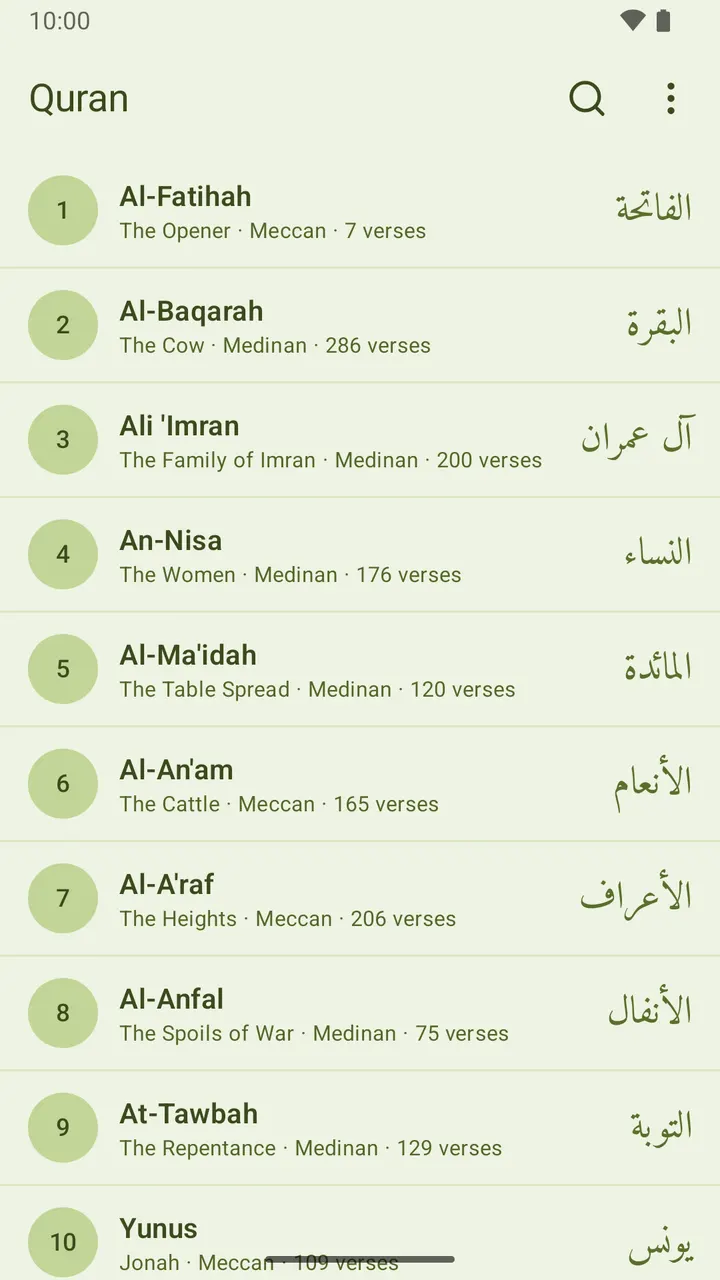
All 114 surahs, searchable 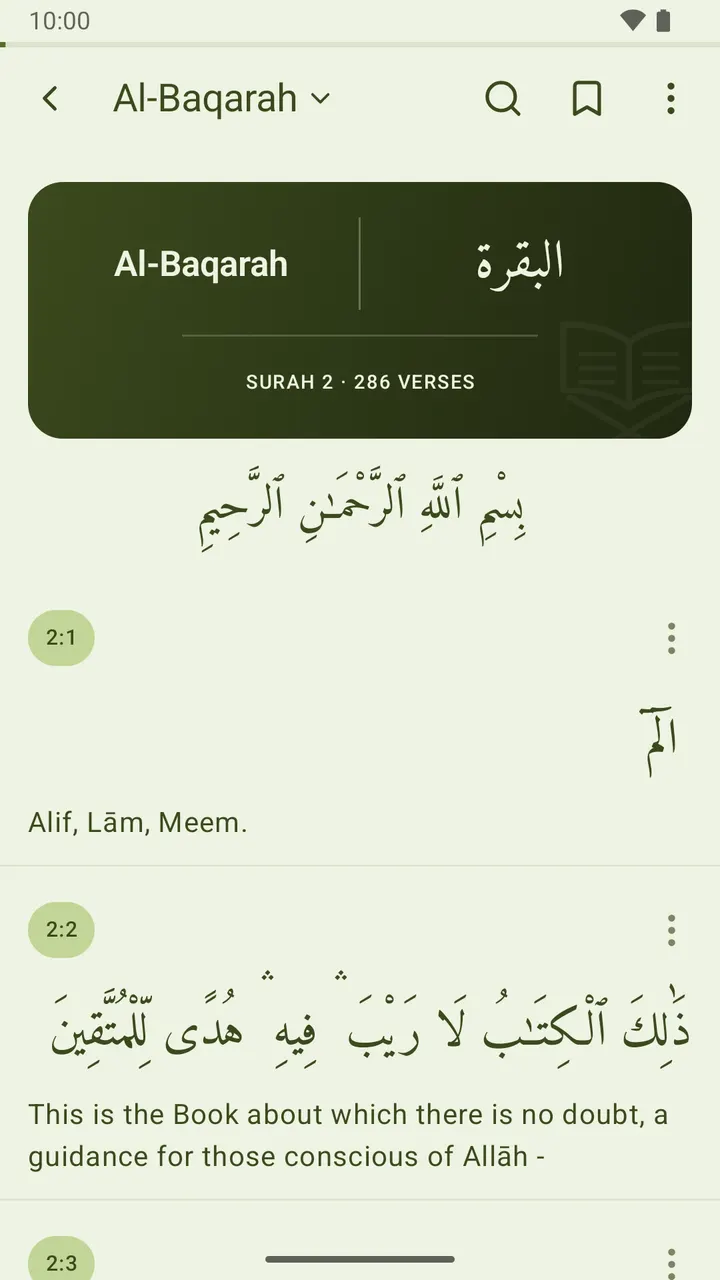
A decorated title card opens every surah 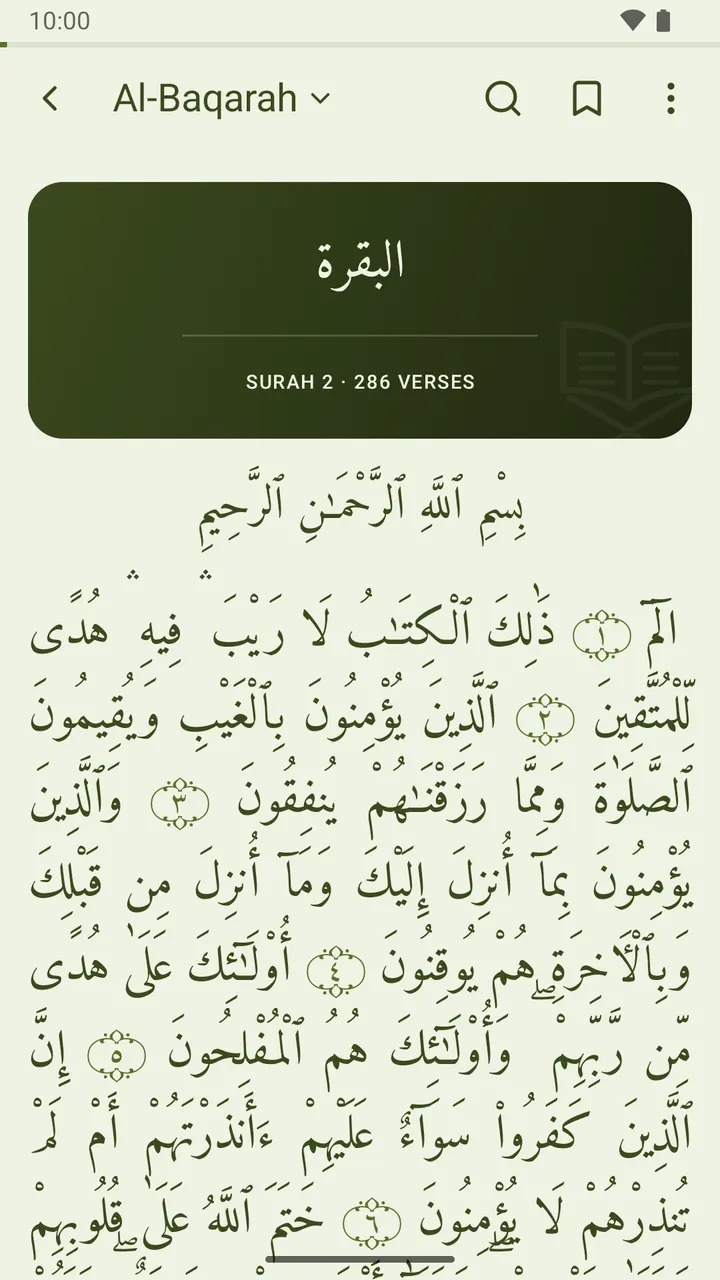
Arabic alone, set the way a mushaf is printed 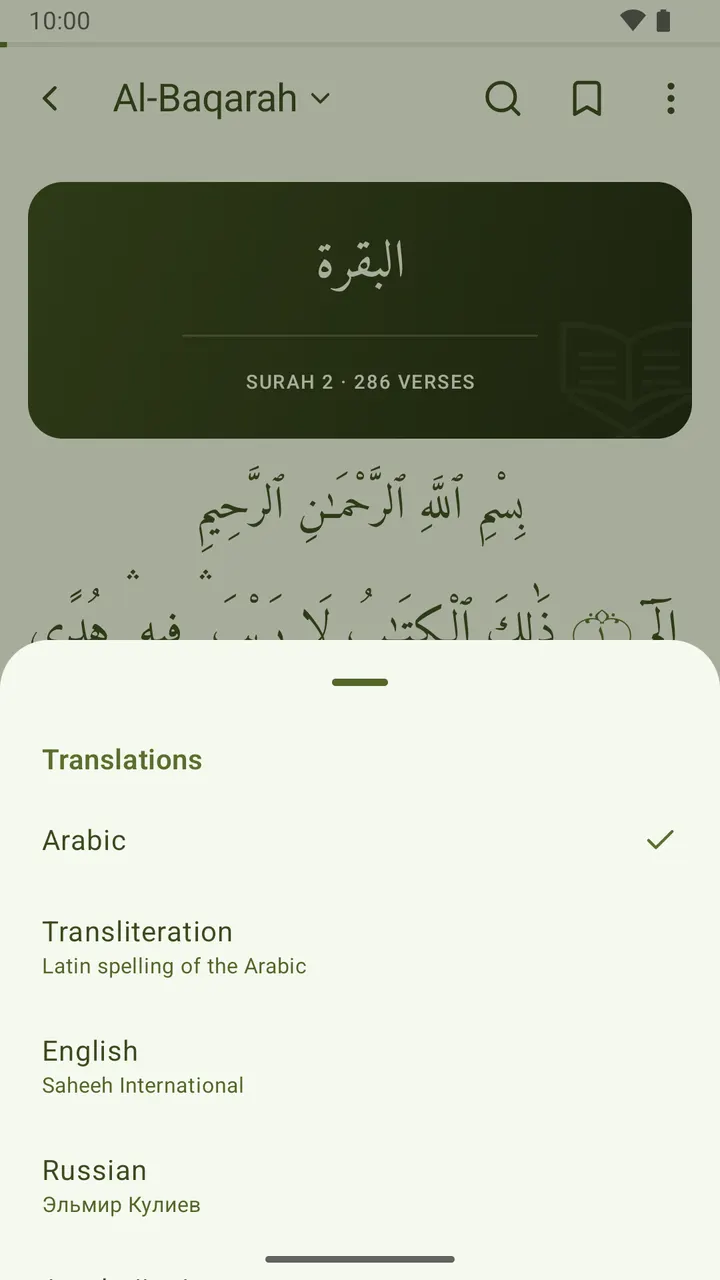
Switch translations from the surah title 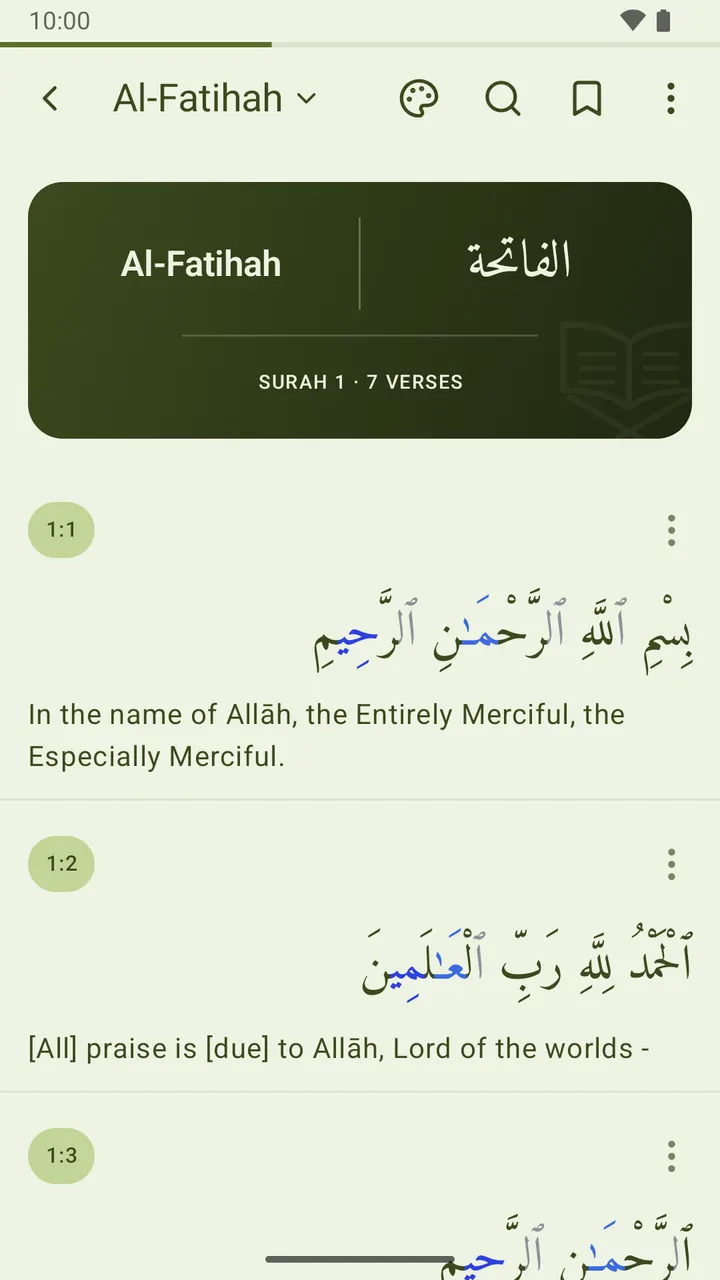
Optional tajweed colours 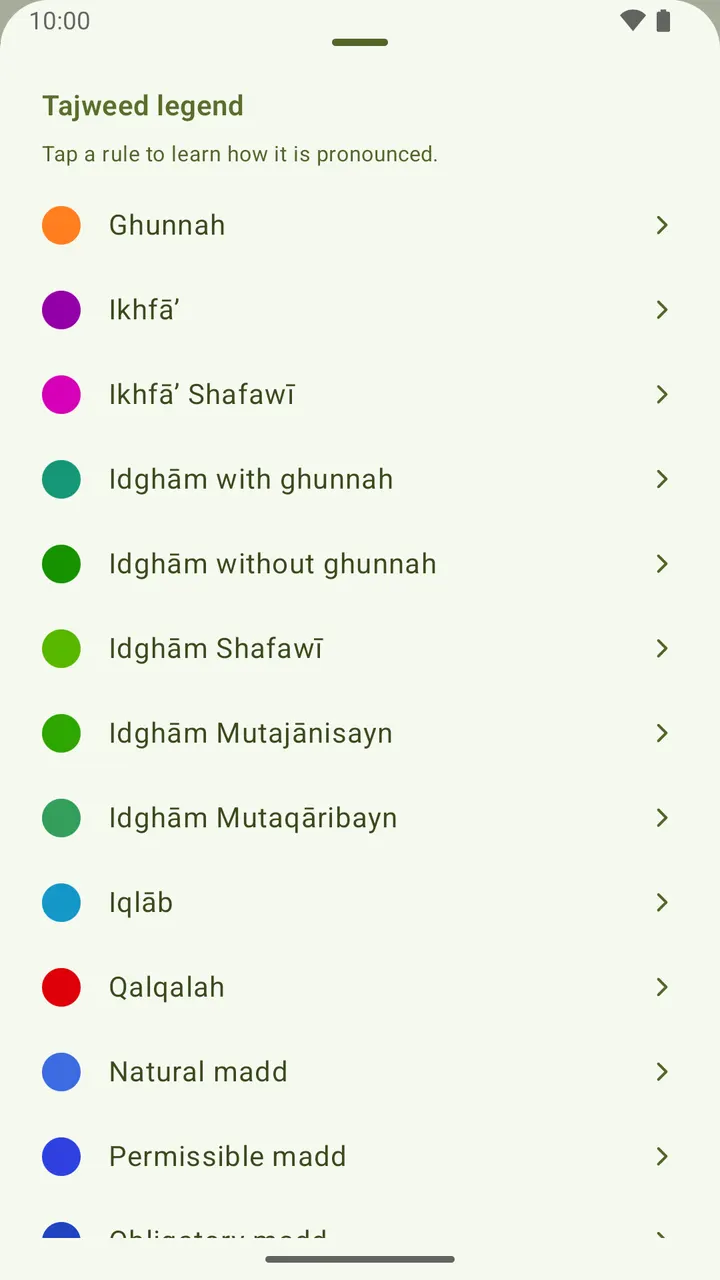
Every rule explained in your language 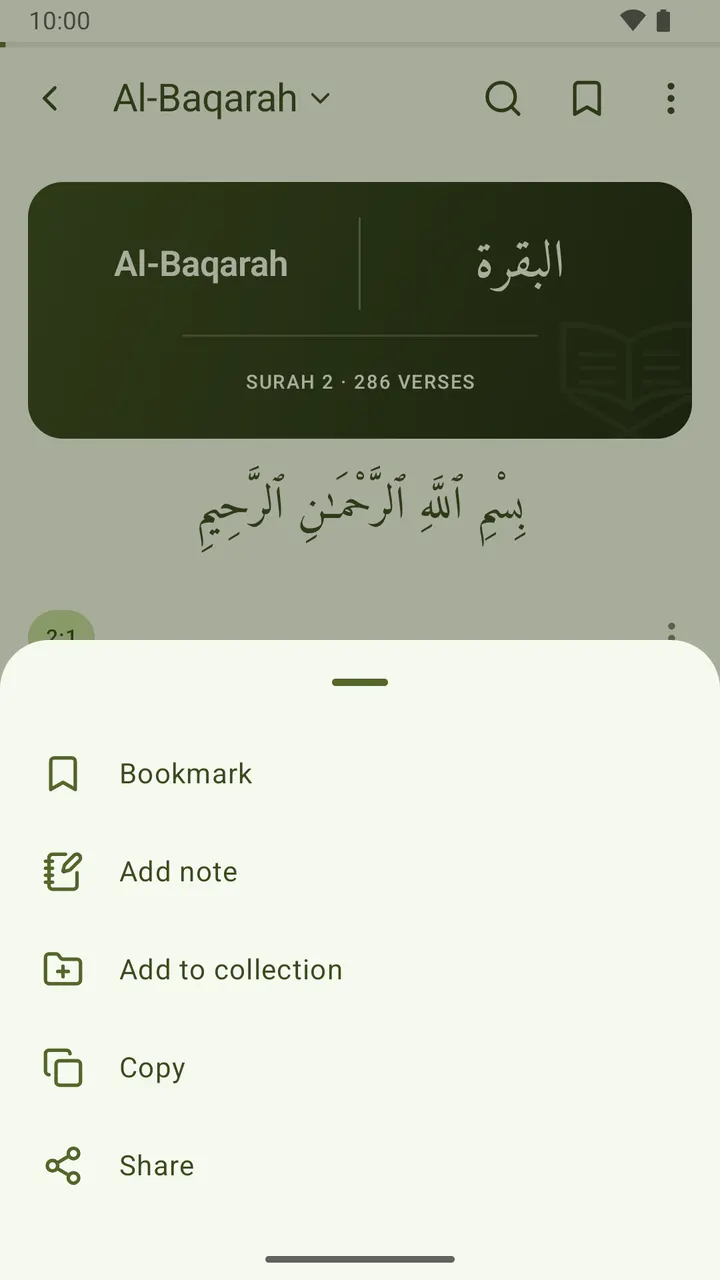
Bookmark, note, copy or share any ayah 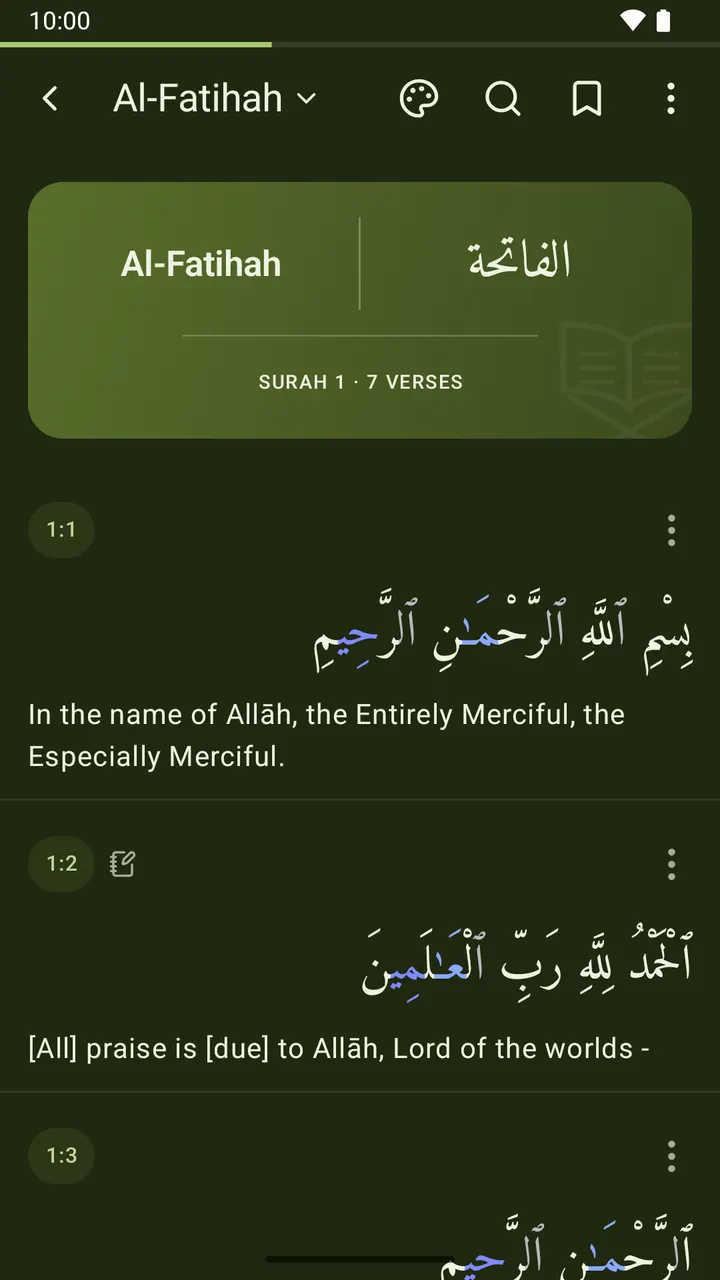
Five reading backgrounds, including night
What's inside
A beautiful reading experience
- Each surah opens on a decorated title card — the name in Arabic beside its spelling in every language you've enabled, with the surah's number and length below, drawn in-app and tinted to suit your reading background.
- Read the Arabic on its own and the page is set the way a mushaf is printed: one continuous, justified block with no rules or badges between verses, each one closing in a traditional ornamental rosette holding its number. Turn a translation back on and the verse-by-verse view returns.
- Five Arabic fonts — Amiri, Scheherazade New, Noto Naskh Arabic, KFGQPC Uthmanic (Madinah mushaf), and PakType Naskh.
- Book-style reading backgrounds — paper, sepia, mushaf green, night, and black — with text colour that adapts for contrast, applied to the reader or the whole app.
- Adjustable Arabic and translation font size, adjustable word spacing, and light, dark, or system themes.
Tajweed colours
- Optionally colour-code the Arabic letters by tajweed rule — ghunnah, ikhfa, idgham, iqlab, qalqalah, and the madd family — just like a printed colour mushaf. Off by default; the colours adapt to your reading background.
- Learn as you read: open the full-height legend and tap any rule to read, in your own interface language, how it is pronounced — with a short Quranic example showing exactly which letters take that colour.
114 translations in 61 languages
- English (Saheeh International), Russian (Elmir Kuliev), Azerbaijani (Alikhan Musayev) and Turkish (Diyanet İşleri Başkanlığı) come with the app; 110 more — Urdu, Bengali, Persian, French, Malay, Swahili, Chinese and many others, often several translators per language — are a few hundred kilobytes each to download, then fully offline.
- Show any combination on or off, and show or hide the Arabic.
- Tap the surah name at the top of the reader to open a picker and switch translations on the spot — no trip to Settings.
Read the whole Quran offline
- All 114 surahs, searchable by Arabic name, transliteration, or translated name.
- Every surah shows its verse count and whether it was revealed in Mecca or Medina.
Built for daily reading
- Save any verse to Favorites and jump back in one tap.
- Write your own notes on any ayah and gather them all under Notes.
- Save verses into your own named collections.
- Copy or share a verse together with its translation.
- Set your reading place on any verse and pick up from it in one tap — or from the Reading place widget on your home screen. It moves only when you move it.
- An Ayah of the day widget for your home screen — the Arabic with the translation you read, in the background, text colour and size you choose. Copy it, share it, or draw another verse without opening the app. Every verse it shows is collected inside the app, ready to add to Favorites, annotate, or save to a collection.
Your language
- The app itself speaks 62 languages — among them Arabic, Urdu, Persian and Pashto with a complete right-to-left layout — chosen on first launch, switchable anytime in Settings, with a search box and your phone's languages listed first.
Private by default
- By default nothing leaves your device — your favorites, notes, collections, reading position, and settings live only on your phone. Optional cloud backup lets you sign in (email or Google) to sync them across devices; it stays off unless you turn it on. No ads, no third-party tracking.
Free, forever
- No ads. No subscriptions. No in-app purchases. No catch.
Quran by i-muslim is the Quran app from i-muslim, developed by Caspian Tools — with Prayer Times and Hadith as separate apps. We render the sacred text faithfully and keep the experience simple, quiet, and fast.
What's new
The 10 most recent releases. Release notes are published in English.
1.3.0114 Quran translations in 61 languages to download; reading place home-screen widget; right-to-left translations read right to left; a smaller reading-place card; the app in 62 languages; no English surah meanings under the Arabic interface; right-to-left interfaces mirror as soon as you switch; search the language list; surah names in Indonesian under the Indonesian interfaceOctober 9, 2026
The app now speaks 62 languages: pick yours on first launch or in Settings, with a search box and your phone’s languages listed first. 110 more Quran translations are a quick download away, in 61 languages, often several translators each. A new Reading place widget brings you back to your verse in one tap, and the Continue reading card is slimmer. Right-to-left translations and interfaces now lay out correctly, and surah names read properly in Arabic and Indonesian.
1.2.0A reading place that only moves when you set it, Favorites with a heart, translations you choose and add yourself, and Settings rebuilt as cards with sheets instead of menusOctober 8, 2026
Your reading place now stays where you put it: set it from any verse, pick up from the Continue reading card, and the app asks before moving it. Bookmarks are now Favorites, marked with a heart. You start with the translation in your own language. One Translations page shows, adds and removes them, and those built into the app add instantly, even offline. Settings has a cleaner look in cards, and menus now open from the bottom of the screen.
1.1.0A branded launch, a searchable language picker that previews your choice, a What’s new card after updates, and transparent system bars in dark mode againSeptember 20, 2026
The app now opens on its own mark instead of a blank window, and the welcome screen asks for your language in a list you can search — "arabic", "ar" or عرب all find العربية. Picking one previews the app in it before anything is saved. The same picker is now in Settings. After an update, a short card tells you what changed, once, then stays out of the way. Fixed: in dark mode on Android 7–14 the status and navigation bars are transparent again.
1.0.49Download more translations from a new Translations screen, starting with Indonesian (Kemenag)September 18, 2026
Settings has a new Translations screen. Pick a translation and it downloads in a second or two, switches itself on, and appears under the next verse you open. Search finds it like any other. The first is Indonesian: Al-Qur'an dan Terjemahnya from Indonesia's Ministry of Religious Affairs (Kemenag). Your own language is listed first, every entry shows its translator and download size, and the translations that came with the app still work fully offline.
1.0.48Uthmanic Hafs script now renders like the printed mushaf; browse the Quran by subject; a long verse scrolls in the widget; the mushaf fits the screen it is read on; a rule where each mushaf page begins; search finds what you meant, not just what you typed; a shared ayah says where it came from; step through verses from the widget; the widget’s bottom line drops the translator nameSeptember 4, 2026
Reading in Arabic alone now fills the page: the text sits flush to both margins, and a faint rule marks where each page of the Madinah mushaf begins. Search finds what you meant. "araf" finds Al-A'raf, and "Allah" now finds every verse that names Him — accents and apostrophes no longer have to be typed. Collections gains a Topics tab: 47 subjects, from prayer and fasting to oaths and inheritance. The widget scrolls long verses, and arrows step to the next or previous one.
1.0.47Keep the screen on while you read; long press a verse to open its actions; the verse you tapped is pointed out when it opensAugust 14, 2026
The screen now stays awake while you read, so a page does not go dark because you have not touched the phone. Your usual timeout returns as soon as you leave, and there is a switch in Settings. Press and hold anywhere on a verse to open its actions: bookmark, note, collection, copy, share. The button in the corner still works too. And a verse opened from the widget, a bookmark or a search is gently pointed out, so you can see the one you came for.
1.0.46The sajda mark opens the fifteen verses of prostration, and the widget takes every language you readAugust 9, 2026
The sajda mark now sits beside the verse number instead of trailing the Arabic, and it is easier to see. Tap it for all fifteen verses of prostration, then tap any one of them to read why that verse calls for a sajda, with the narration behind it and its reference. The ayah widget now takes every language you read, not just one, and no longer cuts the translation short. Ayah of the day groups its verses by day, and the widget's buttons answer to a tap.
1.0.45Ayah of the day — a home-screen widget, and a history you can bookmark and annotateAugust 9, 2026
A new home-screen widget: an ayah of the day, in Arabic with the translation you read. Choose its language, background, text colour and text size when you add it, or change them later. Copy or share the verse straight from the widget, or tap for another one. Every verse it shows is kept under Ayah of the day in the menu, where you can bookmark it, add a note or save it to a collection like any other verse — and it travels with your backup.
1.0.44The surah name follows your reading language; the progress bar starts emptyAugust 8, 2026
Two fixes in the reader. The surah name at the top of the screen now follows the language you read in, rather than always appearing in English, so it matches the title card below it. In Azerbaijani, surah 93 is now spelled Duha. And the thin progress line under the status bar now starts empty and fills as you scroll — before, it opened part-filled on short surahs, and completely full whenever a whole surah fitted on one screen.
1.0.43The surah-name arrow now returns to the surah listAugust 8, 2026
The arrow beside the surah name now always returns you to the list of surahs. Before, it simply retraced your steps: open a verse from a bookmark, a note, a collection or a search result, and the arrow dropped you back into that screen rather than the Quran itself — sometimes several taps from the list. Now one tap goes straight to all 114 surahs, wherever you came from. The phone's own back button still retraces your steps, as before.
Quran by i-muslim
Offline Quran: Arabic, 114 translations in 61 languages, tajweed. No ads.
Prefer to read in your browser? Open the web Quran reader